html
<aparte-chat-viewport style="height: 38rem"></aparte-chat-viewport>

<script>
  // In an app: import { setupProductCard } from '@aparte/plugin-cards/product';
  const { setupProductCard } = window.apartePlugins.cards.product;

  // A card shows only http(s) pictures: these are served by this site, which its image
  // policy lets load. Without it they wait behind "Show images", as any picture would.
  window.aparte.aparteGlobalConfig.setImagePolicy(['self']);
  const picture = (name) => new URL('/demo-pictures/' + name + '.svg', location.href).href;

  setupProductCard({ tool: 'search_products' });

  const viewport = document.querySelector('aparte-chat-viewport');
  viewport.appendMessage({ id: 'u1', role: 'user', content: 'Good wireless headphones under €300?', timestamp: Date.now() });
  viewport.appendMessage({ id: 'a1', role: 'assistant', timestamp: Date.now(), segments: [{
    id: 's1', type: 'tool_call', status: 'resolved',
    toolCall: { id: 'c-s1', name: 'search_products', input: { query: 'wireless headphones', maxPrice: 300 } },
    structuredResult: {
      title: 'Wireless headphones under €300',
      products: [
        { title: 'Arden 700 wireless headphones', image: picture('headphones-graphite'), price: 279, compareAtPrice: 349,
          currency: 'EUR', rating: 4.6, reviewCount: 2184, availability: 'in-stock', merchant: 'Soundhouse',
          badge: 'Bestseller', shipping: 0, url: 'https://shop.example.com/arden-700' },
        { title: 'Arden 500, sand', image: picture('headphones-sand'), price: 199, currency: 'EUR', rating: 4.4,
          reviewCount: 836, availability: 'low-stock', merchant: 'Soundhouse', shipping: 0, url: 'https://shop.example.com/arden-500' },
        { title: 'Fjell Studio over-ear', image: picture('headphones-sage'), price: 239, currency: 'EUR', rating: 4.2,
          reviewCount: 412, availability: 'preorder', merchant: 'Nordlyd', shipping: 4.9, url: 'https://shop.example.com/fjell-studio' },
      ],
    },
  }] });
</script>
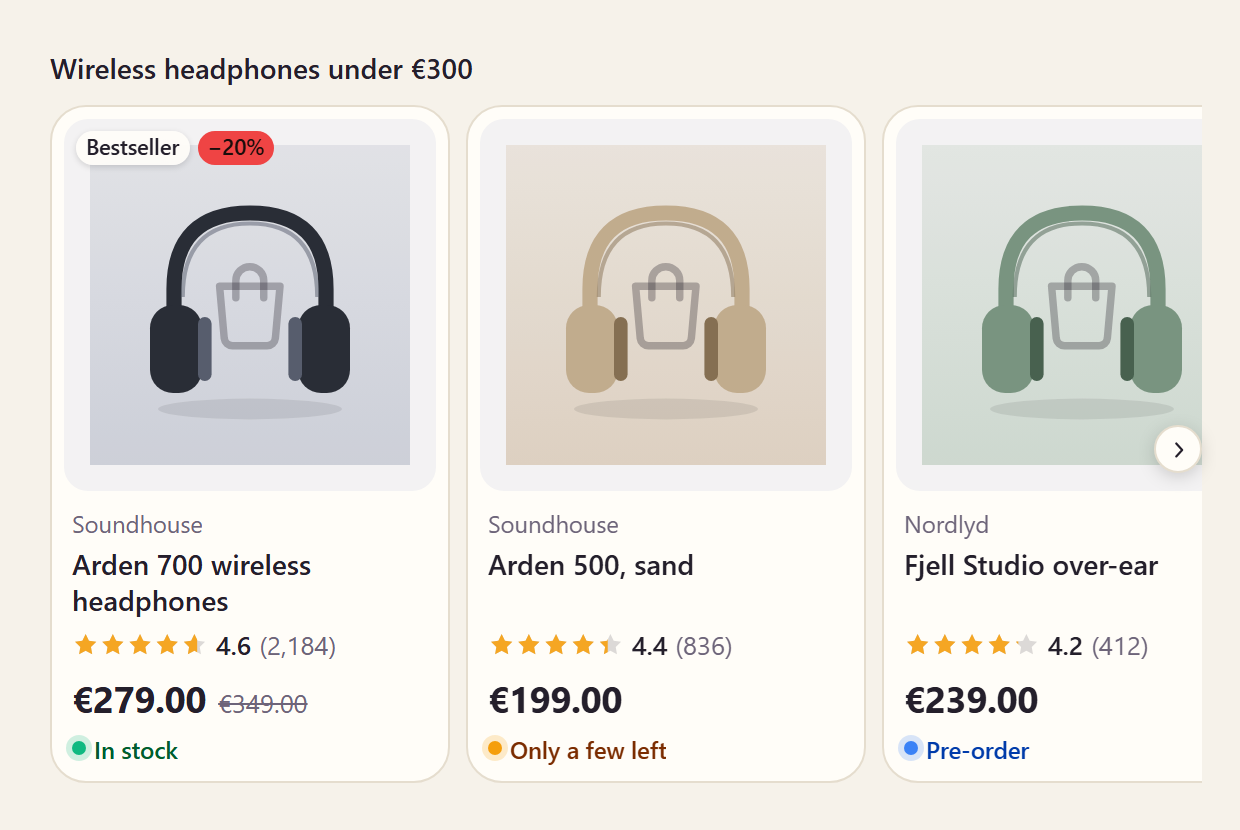
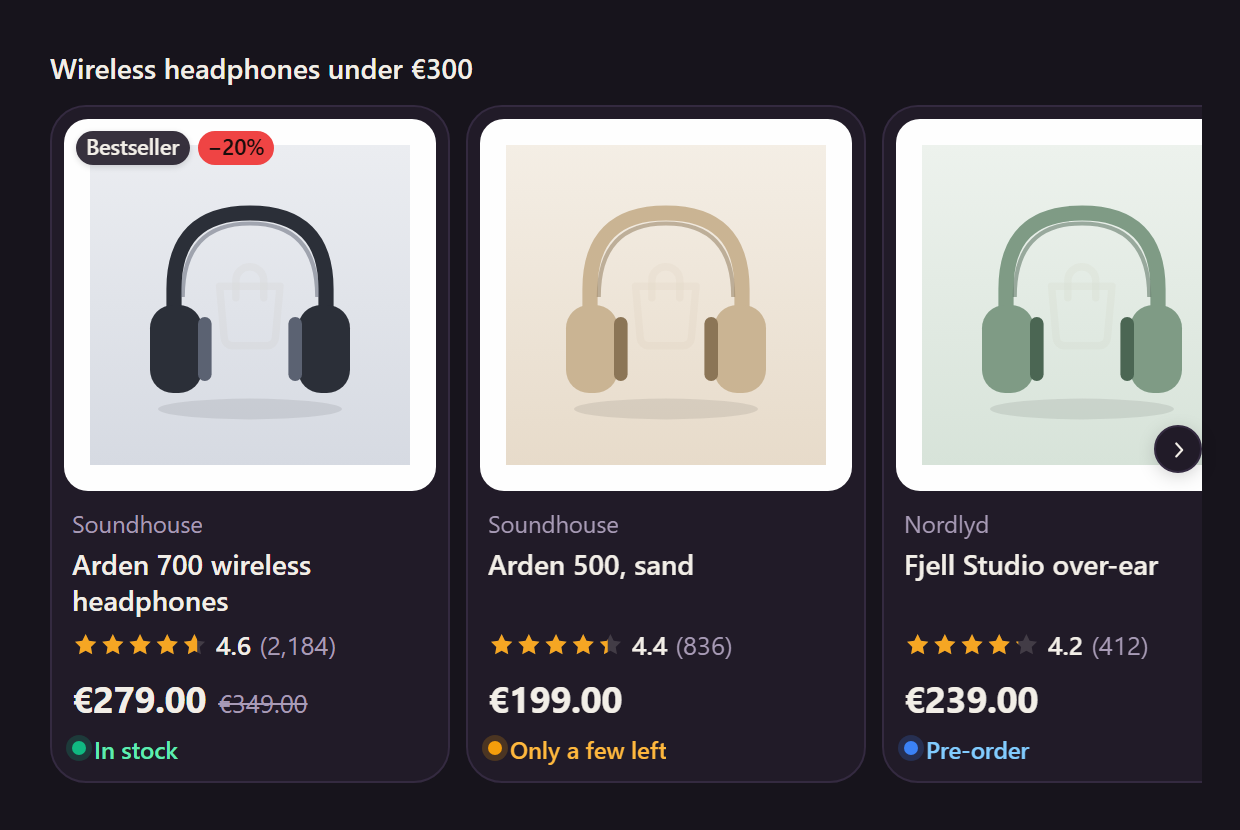
A shopping tool’s answer as a shop would show it: the photo, the price in the chat’s language and the product’s currency, the price it replaces with the discount worked out (never read from text), the rating, whether it is in stock, the merchant and the delivery.
Variants
Section titled “Variants”Compact
Section titled “Compact”html
<aparte-chat-bubble message-id="a1" data-role="assistant" name="Assistant"></aparte-chat-bubble>

<script>
  // In an app: import { setupProductCard } from '@aparte/plugin-cards/product';
  const { setupProductCard } = window.apartePlugins.cards.product;

  // A card shows only http(s) pictures: these are served by this site, which its image
  // policy lets load. Without it they wait behind "Show images", as any picture would.
  window.aparte.aparteGlobalConfig.setImagePolicy(['self']);
  const picture = (name) => new URL('/demo-pictures/' + name + '.svg', location.href).href;

  setupProductCard({ tool: 'search_products', variant: 'compact' });

  document.querySelector('aparte-chat-bubble').setSegments([{
    id: 's1', type: 'tool_call', status: 'resolved',
    toolCall: { id: 'c-s1', name: 'search_products', input: { query: 'wireless headphones', maxPrice: 300 } },
    structuredResult: {
      title: 'Wireless headphones under €300',
      products: [
        { title: 'Arden 700 wireless headphones', image: picture('headphones-graphite'), price: 279, compareAtPrice: 349,
          currency: 'EUR', rating: 4.6, reviewCount: 2184, availability: 'in-stock', merchant: 'Soundhouse',
          badge: 'Bestseller', shipping: 0, url: 'https://shop.example.com/arden-700' },
        { title: 'Arden 500, sand', image: picture('headphones-sand'), price: 199, currency: 'EUR', rating: 4.4,
          reviewCount: 836, availability: 'low-stock', merchant: 'Soundhouse', shipping: 0, url: 'https://shop.example.com/arden-500' },
        { title: 'Fjell Studio over-ear', image: picture('headphones-sage'), price: 239, currency: 'EUR', rating: 4.2,
          reviewCount: 412, availability: 'preorder', merchant: 'Nordlyd', shipping: 4.9, url: 'https://shop.example.com/fjell-studio' },
      ],
    },
  }]);
</script>
One row per product: for a comparison, or a list longer than three.
Detail
Section titled “Detail”html
<aparte-chat-bubble message-id="a1" data-role="assistant" name="Assistant"></aparte-chat-bubble>

<script>
  // In an app: import { setupProductCard } from '@aparte/plugin-cards/product';
  const { setupProductCard } = window.apartePlugins.cards.product;

  // A card shows only http(s) pictures: these are served by this site, which its image
  // policy lets load. Without it they wait behind "Show images", as any picture would.
  window.aparte.aparteGlobalConfig.setImagePolicy(['self']);
  const picture = (name) => new URL('/demo-pictures/' + name + '.svg', location.href).href;

  setupProductCard({ tool: 'get_product', variant: 'detail' });

  document.querySelector('aparte-chat-bubble').setSegments([{
    id: 's1', type: 'tool_call', status: 'resolved',
    toolCall: { id: 'c-s1', name: 'get_product', input: { id: 'arden-700' } },
    structuredResult: { title: 'Arden 700 wireless headphones', image: picture('headphones-graphite'), price: 279, compareAtPrice: 349,
      currency: 'EUR', rating: 4.6, reviewCount: 2184, availability: 'in-stock', merchant: 'Soundhouse', shipping: 0,
      options: ['Graphite', 'Sand', 'Sage'],
      description: 'Forty hours on a charge, noise cancelling that adapts to the room, and ear cups that fold flat into the case.',
      url: 'https://shop.example.com/arden-700' },
  }]);
</script>
One product at length: its options as chips and its description.
While the call runs
Section titled “While the call runs”html
<aparte-chat-bubble message-id="a1" data-role="assistant" name="Assistant"></aparte-chat-bubble>

<script>
  // In an app: import { setupProductCard } from '@aparte/plugin-cards/product';
  const { setupProductCard } = window.apartePlugins.cards.product;

  setupProductCard({ tool: 'search_products' });

  // The call is still running: the card draws its skeleton, with what the input already says.
  document.querySelector('aparte-chat-bubble').setSegments([{
    id: 's1', type: 'tool_call', status: 'pending',
    toolCall: { id: 'c-s1', name: 'search_products', input: { query: 'wireless headphones' } },
  }]);
</script>bash
npm install @aparte/plugin-cards @aparte/corets
import { setupProductCard } from '@aparte/plugin-cards/product';

setupProductCard({
  tool: 'search_products',
  variant: (data) => (data.products.length === 1 ? 'detail' : 'card'),
});
Its reader takes the shapes shops already return — schema.org Product, Shopify, Google Shopping
— and prices written as text ("1.299,00 €"), so map is often not needed. The fields are in
the guide.
Related
Section titled “Related”- Order card — the same products once bought.
- Items card — anything with a title and a picture.