<aparte-chat-viewport style="height: 37rem"></aparte-chat-viewport>

<script>
  // In an app: import { setupMediaCard } from '@aparte/plugin-cards/media';
  const { setupMediaCard } = window.apartePlugins.cards.media;

  // A card shows only http(s) pictures: these are served by this site, which its image
  // policy lets load. Without it they wait behind "Show images", as any picture would.
  window.aparte.aparteGlobalConfig.setImagePolicy(['self']);
  const picture = (name) => new URL('/demo-pictures/' + name + '.svg', location.href).href;

  setupMediaCard({ tool: 'generate_image' });

  const viewport = document.querySelector('aparte-chat-viewport');
  viewport.appendMessage({ id: 'u1', role: 'user', content: 'Draw me mountains at dawn, flat style.', timestamp: Date.now() });
  viewport.appendMessage({ id: 'a1', role: 'assistant', timestamp: Date.now(), segments: [{
    id: 's1', type: 'tool_call', status: 'resolved',
    toolCall: { id: 'c-s1', name: 'generate_image', input: { prompt: 'Mountains at dawn, layered, flat illustration' } },
    structuredResult: {
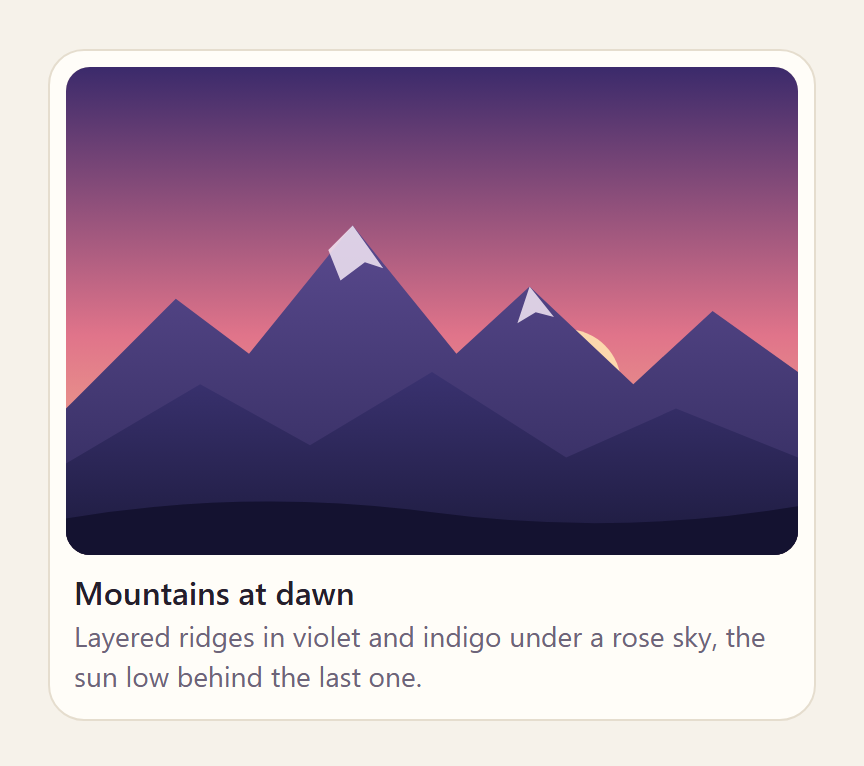
      src: picture('alps-dawn'), width: 1200, height: 800, title: 'Mountains at dawn',
      caption: 'Layered ridges in violet and indigo under a rose sky, the sun low behind the last one.',
      alt: 'Layered mountain ridges under a pink dawn sky, with the sun low behind them.',
    },
  }] });
</script>
What an image model draws, or a photo search finds. A picture opens in a lightbox; a video plays
in the browser’s own <video> and a sound in its <audio>; a YouTube or Vimeo page is a picture
that links to it, so no player script. width and height keep the space before the picture loads,
so nothing jumps when it does.
Its pictures, videos and sounds follow the chat’s image policy: one from a host the app has not
allowed is not fetched, and the card shows a “Show images” button that names the host. To load
your own CDN with no click, call
aparteGlobalConfig.setImagePolicy(['self', 'https://cdn.example.com'])
(the policy).
Variants
Section titled “Variants”Gallery
Section titled “Gallery”<aparte-chat-bubble message-id="a1" data-role="assistant" name="Assistant"></aparte-chat-bubble>
<script>
// In an app: import { setupMediaCard } from '@aparte/plugin-cards/media';
const { setupMediaCard } = window.apartePlugins.cards.media;
// A card shows only http(s) pictures: these are served by this site, which its image
// policy lets load. Without it they wait behind "Show images", as any picture would.
window.aparte.aparteGlobalConfig.setImagePolicy(['self']);
const picture = (name) => new URL('/demo-pictures/' + name + '.svg', location.href).href;
setupMediaCard({ tool: 'search_images', variant: 'gallery' });
document.querySelector('aparte-chat-bubble').setSegments([{
id: 's1', type: 'tool_call', status: 'resolved',
toolCall: { id: 'c-s1', name: 'search_images', input: { query: 'landscapes, flat illustration' } },
structuredResult: {
title: 'Landscapes, flat illustration',
items: [
{ src: picture('alps-dawn'), title: 'First light', credit: 'Studio Ridge', width: 1200, height: 800 },
{ src: picture('coast'), title: 'The cliff path', credit: 'Studio Ridge', width: 1200, height: 800 },
{ src: picture('aurora'), title: 'Northern lights', credit: 'M. Haldor', width: 1200, height: 800 },
{ src: picture('forest'), title: 'Pines in the fog', credit: 'M. Haldor', width: 1200, height: 800 },
{ src: picture('dunes'), title: 'Dunes at noon', credit: 'A. Serra', width: 1200, height: 800 },
{ src: picture('city-dusk'), title: 'The city at dusk', credit: 'A. Serra', width: 1200, height: 800 },
],
},
}]);
</script>A mosaic.
<aparte-chat-bubble message-id="a1" data-role="assistant" name="Assistant"></aparte-chat-bubble>

<script>
  // In an app: import { setupMediaCard } from '@aparte/plugin-cards/media';
  const { setupMediaCard } = window.apartePlugins.cards.media;

  // A card shows only http(s) pictures: these are served by this site, which its image
  // policy lets load. Without it they wait behind "Show images", as any picture would.
  window.aparte.aparteGlobalConfig.setImagePolicy(['self']);
  const picture = (name) => new URL('/demo-pictures/' + name + '.svg', location.href).href;

  setupMediaCard({ tool: 'search_images', variant: 'strip' });

  document.querySelector('aparte-chat-bubble').setSegments([{
    id: 's1', type: 'tool_call', status: 'resolved',
    toolCall: { id: 'c-s1', name: 'search_images', input: { query: 'landscapes, flat illustration' } },
    structuredResult: {
      title: 'Landscapes, flat illustration',
      items: [
        { src: picture('alps-dawn'), title: 'First light', credit: 'Studio Ridge', width: 1200, height: 800 },
        { src: picture('coast'), title: 'The cliff path', credit: 'Studio Ridge', width: 1200, height: 800 },
        { src: picture('aurora'), title: 'Northern lights', credit: 'M. Haldor', width: 1200, height: 800 },
        { src: picture('forest'), title: 'Pines in the fog', credit: 'M. Haldor', width: 1200, height: 800 },
        { src: picture('dunes'), title: 'Dunes at noon', credit: 'A. Serra', width: 1200, height: 800 },
        { src: picture('city-dusk'), title: 'The city at dusk', credit: 'A. Serra', width: 1200, height: 800 },
      ],
    },
  }]);
</script>
A row of thumbnails with their titles.
While the call runs
Section titled “While the call runs”<aparte-chat-bubble message-id="a1" data-role="assistant" name="Assistant"></aparte-chat-bubble>
<script>
// In an app: import { setupMediaCard } from '@aparte/plugin-cards/media';
const { setupMediaCard } = window.apartePlugins.cards.media;
setupMediaCard({ tool: 'generate_image' });
// The call is still running: the card draws its skeleton, with what the input already says.
document.querySelector('aparte-chat-bubble').setSegments([{
id: 's1', type: 'tool_call', status: 'pending',
toolCall: { id: 'c-s1', name: 'generate_image', input: { prompt: 'Mountains at dawn, layered, flat illustration' } },
}]);
</script>The prompt or the query, while the pictures are made or found.
npm install @aparte/plugin-cards @aparte/coreimport { setupMediaCard } from '@aparte/plugin-cards/media';
setupMediaCard({ tool: 'generate_image' }); // an image model's { data: [{ url }] } as it is
setupMediaCard({ tool: 'search_photos', map: (result) => result.results, variant: 'gallery' });A medium’s address must be http(s) or a path on your own site. The fields, and the readers for
Unsplash, Pexels and image models, are in the guide.
Related
Section titled “Related”- Items card — pictures with a title and a link.
- Attachments — the files a person sends.