Plan card
The plan an agent updates while it works — each step's status, its time, what failed — as a checklist, a timeline or one line.
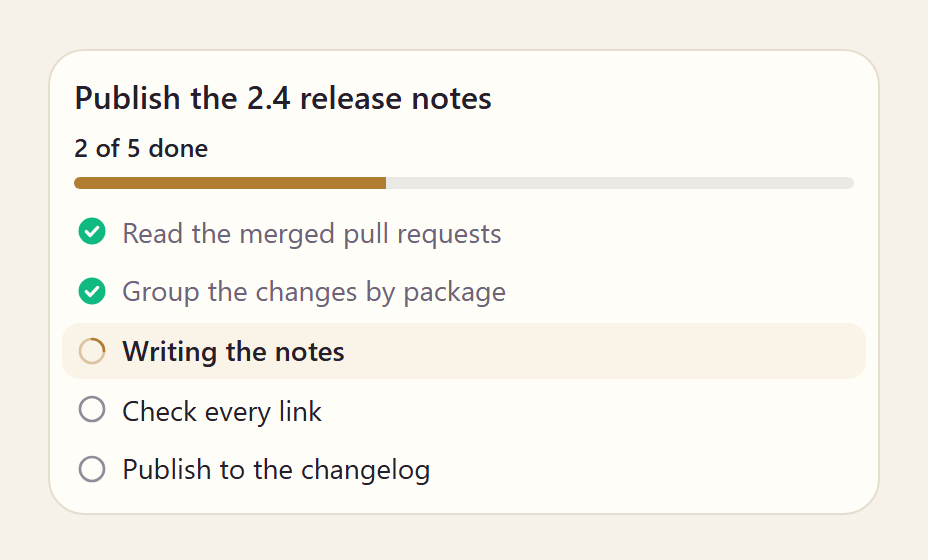
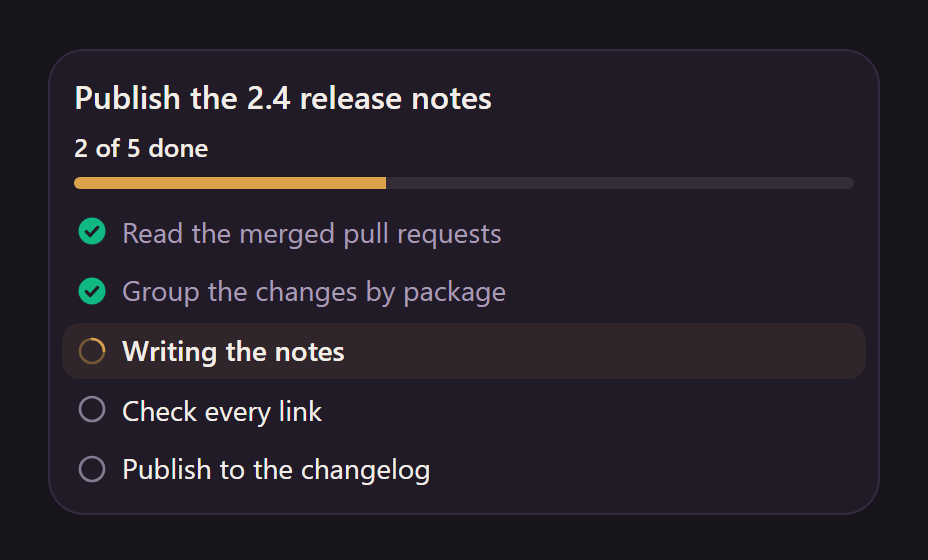
<aparte-chat-viewport style="height: 30rem"></aparte-chat-viewport>

<script>
  // In an app: import { setupPlanCard } from '@aparte/plugin-cards/plan';
  const { setupPlanCard } = window.apartePlugins.cards.plan;

  setupPlanCard({ tool: 'update_plan' });

  const viewport = document.querySelector('aparte-chat-viewport');
  viewport.appendMessage({ id: 'u1', role: 'user', content: 'Can you publish the 2.4 release notes?', timestamp: Date.now() });
  viewport.appendMessage({ id: 'a1', role: 'assistant', timestamp: Date.now(), segments: [{
    id: 's1', type: 'tool_call', status: 'resolved',
    toolCall: { id: 'c-s1', name: 'update_plan', input: {} },
    structuredResult: {
      title: 'Publish the 2.4 release notes',
      steps: [
        { title: 'Read the merged pull requests', status: 'done' },
        { title: 'Group the changes by package', status: 'done' },
        { title: 'Write the notes', activeForm: 'Writing the notes', status: 'in-progress' },
        { title: 'Check every link', status: 'pending' },
        { title: 'Publish to the changelog', status: 'pending' },
      ],
    },
  }] });
</script>
An agent that works through several steps sends its plan again each time a step moves. The card draws every version into the same element, and a status change moves no row: the title, its bold form, the wording a step wears while it runs (“Writing the notes”) and the time slot are all reserved from the first draw.
Variants
Section titled “Variants”Timeline
Section titled “Timeline”<aparte-chat-bubble message-id="a1" data-role="assistant" name="Assistant"></aparte-chat-bubble>
<script>
// In an app: import { setupPlanCard } from '@aparte/plugin-cards/plan';
const { setupPlanCard } = window.apartePlugins.cards.plan;
const ago = (minutes) => Date.now() - minutes * 60000;
setupPlanCard({ tool: 'update_plan', variant: 'timeline' });
document.querySelector('aparte-chat-bubble').setSegments([{
id: 's1', type: 'tool_call', status: 'resolved',
toolCall: { id: 'c-s1', name: 'update_plan', input: {} },
structuredResult: {
title: 'Fix the failing build', timed: true,
steps: [
{ title: 'Reproduce the failure', status: 'done', startedAt: ago(14), finishedAt: ago(12) },
{ title: 'Run the parser tests', status: 'failed', startedAt: ago(12), finishedAt: ago(11), detail: '2 of 148 failed: a heading inside a list' },
{ title: 'Fix the list parser', status: 'done', startedAt: ago(11), finishedAt: ago(4) },
{ title: 'Run the whole suite', activeForm: 'Running the whole suite', status: 'in-progress', startedAt: ago(4) },
{ title: 'Open a pull request', status: 'pending' },
],
},
}]);
</script>Each step on a rail with its time; a failed step keeps its detail. timed: true reserves the
time slots before the first step has one.
Compact
Section titled “Compact”<aparte-chat-bubble message-id="a1" data-role="assistant" name="Assistant"></aparte-chat-bubble>
<script>
// In an app: import { setupPlanCard } from '@aparte/plugin-cards/plan';
const { setupPlanCard } = window.apartePlugins.cards.plan;
setupPlanCard({ tool: 'update_plan', variant: 'compact' });
document.querySelector('aparte-chat-bubble').setSegments([{
id: 's1', type: 'tool_call', status: 'resolved',
toolCall: { id: 'c-s1', name: 'update_plan', input: {} },
structuredResult: {
title: 'Publish the 2.4 release notes',
steps: [
{ title: 'Read the merged pull requests', status: 'done' },
{ title: 'Group the changes by package', status: 'done' },
{ title: 'Write the notes', activeForm: 'Writing the notes', status: 'in-progress' },
{ title: 'Check every link', status: 'pending' },
{ title: 'Publish to the changelog', status: 'pending' },
],
},
}]);
</script>One line, for a plan that runs in a small space.
Updated while the agent works
Section titled “Updated while the agent works”<aparte-chat-bubble message-id="a1" data-role="assistant" name="Assistant"></aparte-chat-bubble>
<script>
// In an app: import { setupPlanCard } from '@aparte/plugin-cards/plan';
const { setupPlanCard } = window.apartePlugins.cards.plan;
// A todo tool's input is the list itself: read the input, not the "ok" it returns.
setupPlanCard({ tool: 'write_todos', map: (_result, input) => input });
const titles = ['Read the merged pull requests', 'Group the changes by package', 'Write the notes', 'Check every link', 'Publish to the changelog'];
const todos = (done) => ({
todos: titles.map((content, i) => ({ content, status: i < done ? 'completed' : i === done ? 'in_progress' : 'pending' })),
});
// The agent sends the same call again with new statuses: the same card is redrawn, and no row moves.
const bubble = document.querySelector('aparte-chat-bubble');
const call = (done) => ({ id: 'c1', name: 'write_todos', input: todos(done) });
bubble.setSegments([{ id: 's1', type: 'tool_call', status: 'resolved', toolCall: call(0), result: 'ok' }]);
let done = 0;
const tick = setInterval(() => {
done += 1;
bubble.updateSegment('s1', { toolCall: call(done) });
if (done === titles.length) clearInterval(tick);
}, 1600);
</script>A todo tool’s input is the list itself, and its result is only “ok”: map reads the input. Here
the same call is sent again every second and a half, the way an agent sends it.
While the call runs
Section titled “While the call runs”<aparte-chat-bubble message-id="a1" data-role="assistant" name="Assistant"></aparte-chat-bubble>
<script>
// In an app: import { setupPlanCard } from '@aparte/plugin-cards/plan';
const { setupPlanCard } = window.apartePlugins.cards.plan;
setupPlanCard({ tool: 'make_plan' });
// The call is still running: the card draws its skeleton, with what the input already says.
document.querySelector('aparte-chat-bubble').setSegments([{
id: 's1', type: 'tool_call', status: 'pending',
toolCall: { id: 'c-s1', name: 'make_plan', input: { goal: 'Publish the 2.4 release notes' } },
}]);
</script>When the call’s input is already the plan, the card draws it at once rather than a skeleton.
npm install @aparte/plugin-cards @aparte/coreimport { setupPlanCard } from '@aparte/plugin-cards/plan';
setupPlanCard({ tool: 'update_plan' });
// A tool whose input is the list and whose result is only "ok" reads its input instead:
setupPlanCard({ tool: 'write_todos', map: (_result, input) => input });readPlan reads a list of steps or of strings, a Markdown checklist, and the todo lists agents
already write. The statuses and fields are in the guide.
Related
Section titled “Related”- Tool call — the row of each call the plan describes.
- Status line — one line of what your app is doing now.