html
<aparte-chat-viewport style="height: 35rem"></aparte-chat-viewport>

<script>
  // In an app: import { setupLinkCard } from '@aparte/plugin-cards/link';
  const { setupLinkCard } = window.apartePlugins.cards.link;

  // A card shows only http(s) pictures: these are served by this site, which its image
  // policy lets load. Without it they wait behind "Show images", as any picture would.
  window.aparte.aparteGlobalConfig.setImagePolicy(['self']);
  const picture = (name) => new URL('/demo-pictures/' + name + '.svg', location.href).href;

  setupLinkCard({ tool: 'unfurl' });

  const viewport = document.querySelector('aparte-chat-viewport');
  viewport.appendMessage({ id: 'u1', role: 'user', content: 'What’s on this page? apartejs.dev/guides/cards', timestamp: Date.now() });
  viewport.appendMessage({ id: 'a1', role: 'assistant', timestamp: Date.now(), segments: [{
    id: 's1', type: 'tool_call', status: 'resolved',
    toolCall: { id: 'c-s1', name: 'unfurl', input: { url: 'https://apartejs.dev/guides/cards/' } },
    structuredResult: {
      url: 'https://apartejs.dev/guides/cards/', siteName: 'aparté', type: 'article', image: picture('share-guide'),
      title: 'Show a tool’s result as a card',
      description: 'Draw what a tool returns as a rich card, in variants, from your tool’s own fields.',
    },
  }] });
</script>
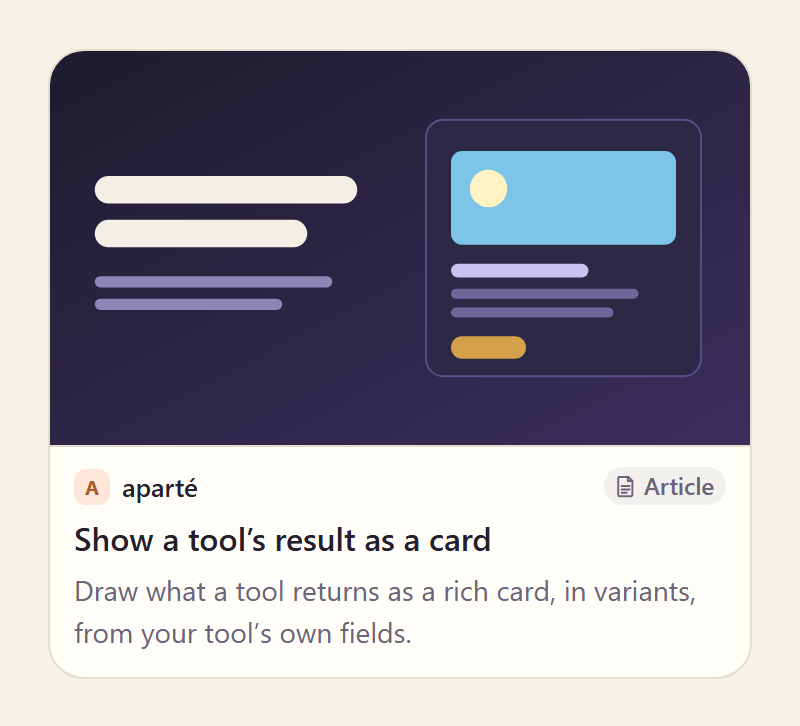
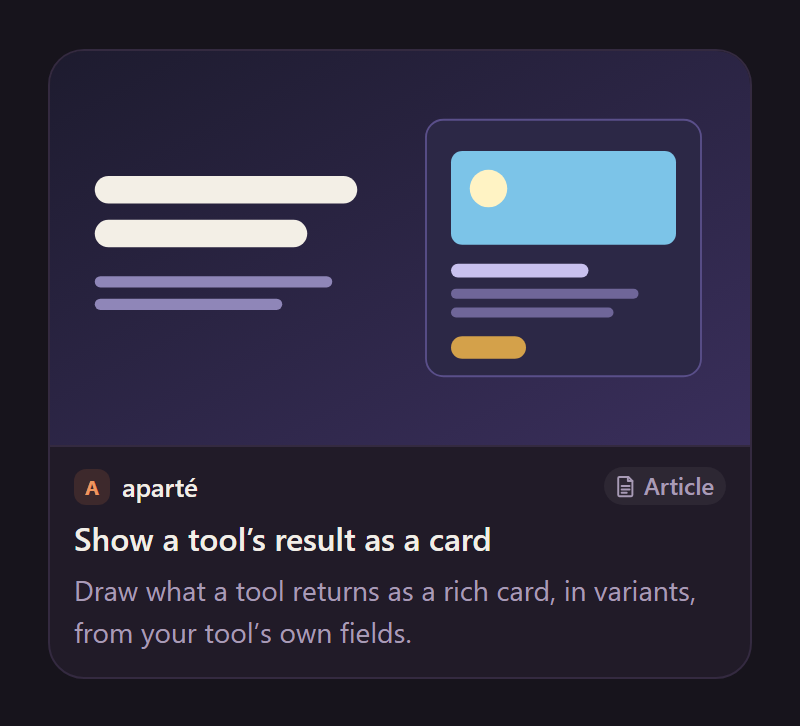
A page a tool unfurled or a search found, the way chat apps preview a shared link. Its badge says what it is — an article, a video, a repository, a product — read from the page when the data does not say. The card fetches no page and calls no favicon service: a site without its own icon in the data gets its initial on a tinted square. A picture or icon in the data loads only as far as the chat’s image policy allows, and a “Show images” button loads the rest.
Variants
Section titled “Variants”Compact
Section titled “Compact”html
<aparte-chat-bubble message-id="a1" data-role="assistant" name="Assistant"></aparte-chat-bubble>

<script>
  // In an app: import { setupLinkCard } from '@aparte/plugin-cards/link';
  const { setupLinkCard } = window.apartePlugins.cards.link;

  // A card shows only http(s) pictures: these are served by this site, which its image
  // policy lets load. Without it they wait behind "Show images", as any picture would.
  window.aparte.aparteGlobalConfig.setImagePolicy(['self']);
  const picture = (name) => new URL('/demo-pictures/' + name + '.svg', location.href).href;

  setupLinkCard({ tool: 'web_search', variant: 'compact' });

  document.querySelector('aparte-chat-bubble').setSegments([{
    id: 's1', type: 'tool_call', status: 'resolved',
    toolCall: { id: 'c-s1', name: 'web_search', input: { query: 'rich cards in a chat' } },
    structuredResult: {
      title: 'Rich cards in a chat',
      links: [
        { url: 'https://apartejs.dev/guides/cards/', siteName: 'aparté', type: 'article', image: picture('share-guide'),
          title: 'Show a tool’s result as a card', description: 'Draw what a tool returns as a rich card, in variants, from your tool’s own fields.' },
        { url: 'https://github.com/apartejs/apartejs', siteName: 'GitHub', type: 'repo', image: picture('share-repo'),
          title: 'apartejs/apartejs', description: 'AI chat and agent UI components, built as Web Components, with the runtime inside.' },
        { url: 'https://talks.example.org/2026/cards-not-rows', type: 'video', image: picture('share-talk'), author: 'R. Okoye',
          title: 'Cards, not rows: drawing tool results', description: 'Twenty minutes on what a person reads when an agent calls a tool.',
          publishedAt: Date.now() - 12 * 86400000 },
        { url: 'https://journal.example.org/notes/read-the-weather', type: 'article', image: picture('coast'), author: 'C. Marchetti',
          title: 'Read the weather, not the JSON', description: 'Why the first card every chat ships is the forecast.',
          publishedAt: Date.now() - 3 * 86400000 },
      ],
    },
  }]);
</script>
One row per page, for search results.
html
<aparte-chat-bubble message-id="a1" data-role="assistant" name="Assistant"></aparte-chat-bubble>

<script>
  // In an app: import { setupLinkCard } from '@aparte/plugin-cards/link';
  const { setupLinkCard } = window.apartePlugins.cards.link;

  // A card shows only http(s) pictures: these are served by this site, which its image
  // policy lets load. Without it they wait behind "Show images", as any picture would.
  window.aparte.aparteGlobalConfig.setImagePolicy(['self']);
  const picture = (name) => new URL('/demo-pictures/' + name + '.svg', location.href).href;

  setupLinkCard({ tool: 'unfurl', variant: 'quote' });

  document.querySelector('aparte-chat-bubble').setSegments([{
    id: 's1', type: 'tool_call', status: 'resolved',
    toolCall: { id: 'c-s1', name: 'unfurl', input: { url: 'https://journal.example.org/notes/read-the-weather' } },
    structuredResult: {
      url: 'https://journal.example.org/notes/read-the-weather', siteName: 'The Journal', type: 'article', themeColor: '#1b8aa6',
      image: picture('coast'), author: 'C. Marchetti', publishedAt: Date.now() - 3 * 86400000,
      title: 'Read the weather, not the JSON', description: 'Why the first card every chat ships is the forecast.',
    },
  }]);
</script>
The block chat apps draw under a shared link, its side rule in the page’s themeColor.
While the call runs
Section titled “While the call runs”html
<aparte-chat-bubble message-id="a1" data-role="assistant" name="Assistant"></aparte-chat-bubble>

<script>
  // In an app: import { setupLinkCard } from '@aparte/plugin-cards/link';
  const { setupLinkCard } = window.apartePlugins.cards.link;

  setupLinkCard({ tool: 'unfurl' });

  // The call is still running: the card draws its skeleton, with what the input already says.
  document.querySelector('aparte-chat-bubble').setSegments([{
    id: 's1', type: 'tool_call', status: 'pending',
    toolCall: { id: 'c-s1', name: 'unfurl', input: { url: 'https://apartejs.dev/guides/cards/' } },
  }]);
</script>
The address’s host, before the page is read.
bash
npm install @aparte/plugin-cards @aparte/corets
import { setupLinkCard } from '@aparte/plugin-cards/link';

setupLinkCard({ tool: 'unfurl' }); // one page's Open Graph, as it is
setupLinkCard({ tool: 'web_search', map: (result) => result.items, variant: 'compact' });
readLinks reads Open Graph and the results of the usual search APIs. The fields are in
the guide.
Related
Section titled “Related”- Citations — sources cited inside a reply’s text.
- Items card — results that are not web pages.